Deploy Image Extender AI outpainting with Docker, Traefik, and Authentik
Run Image Extender as a private AI outpainting and 2D game-art studio behind Traefik and Authentik, with OpenRouter BYOK stored in the browser or an optional server-side fallback key.
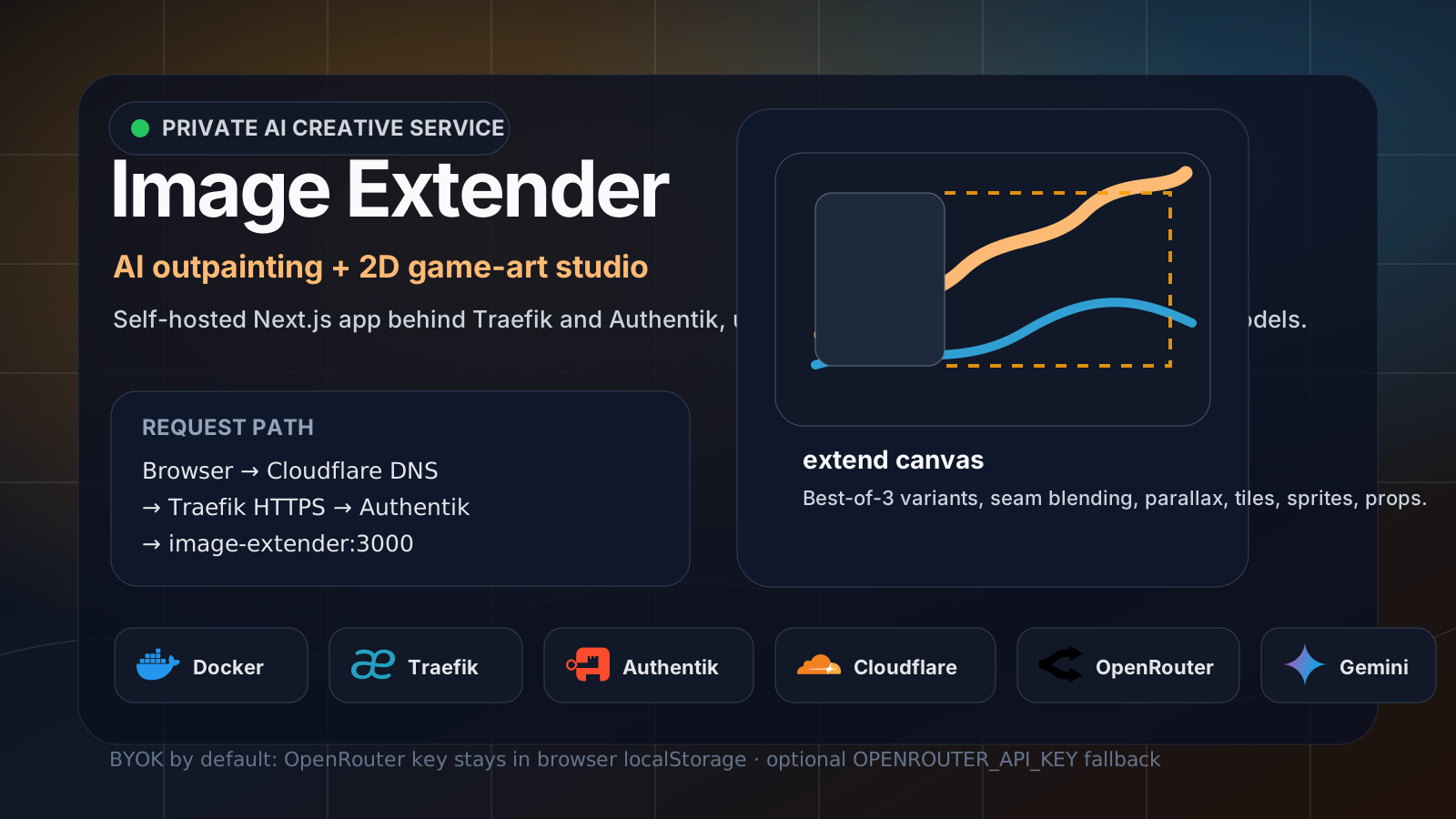
Image Extender is a small open-source web studio for AI outpainting and 2D game-art generation. It can extend images in any direction, generate parallax backgrounds, build tiles, create sprite sheets, and produce transparent props.
The upstream project is designed around BYOK: bring your own OpenRouter key. By default, the key is entered in the browser and stored in that browser’s localStorage. For a private homelab deployment, that is usually the safest default because the server does not need to persist an API key at all.
This guide deploys Image Extender as a standalone Docker Compose service behind Traefik and protects the UI with Authentik.
1
2
3
4
5
6
7
8
9
10
11
12
13
Browser
  ↓ HTTPS
2d.example.com
  ↓
Cloudflare DNS
  ↓
Traefik HTTPS router
  ↓ forward-auth
Authentik Embedded Outpost
  ↓ after login
Image Extender Next.js container on port 3000
  ↓ when generating
OpenRouter → Gemini image model
All domains, usernames, API keys, tokens, client secrets, and account details in this post are placeholders. Replace
2d.example.comwith your own hostname and never publish real.envfiles, public server IPs, OAuth secrets, OpenRouter keys, or private infrastructure details.
What this service does
Image Extender provides a browser interface for creative AI image operations:
- outpaint an uploaded image left, right, up, or down;
- choose the best result from multiple generated variants;
- blend seams between the original image and AI-generated extension;
- generate parallax background layers for 2D games;
- generate autotile sets, sprites, and standalone props;
- use OpenRouter-hosted Gemini image models from the web UI.
In a homelab, the useful pattern is:
- keep the app in its own project directory;
- build a reproducible production Next.js container;
- expose only Traefik publicly;
- require Authentik login before the app loads;
- keep the OpenRouter key in browser storage unless you intentionally want a shared server-side fallback key.
Network model:
1
Internet → Traefik :443 → image-extender:3000 on the private Docker proxy network
The Image Extender container should not publish a host port. Traefik should be the only public entry point.
Related documentation
This service uses the same homelab foundation as the other private web apps:
- Deploy Traefik as a Docker reverse proxy with Cloudflare DNS
- Deploy Authentik SSO with Docker and Traefik
- Deploy Cloudflare Companion for Traefik DNS automation
- Deploy Homepage Dashboard with Docker, Traefik, and Authentik
- Deploy ComfyUI AI workflows with Docker, Traefik, and Authentik
- Deploy Open Design with Docker, Traefik, Authentik, Gemini CLI, and Codex CLI
Read the Traefik and Authentik guides first if you do not already have a shared Docker network, HTTPS routing, and forward-auth middleware.
Folder layout
Use one dedicated service directory.
1
2
sudo mkdir -p /home/ubuntu/image-extender
cd /home/ubuntu/image-extender
The finished layout will look like this:
1
2
3
4
5
6
7
8
9
/home/ubuntu/image-extender/
├── .env
├── docker-compose.yml
└── app/
    ├── Dockerfile.novelox
    ├── package.json
    ├── package-lock.json
    ├── next.config.js
    └── app/
The app/ folder is the upstream Image Extender repository. The parent folder keeps deployment-specific files such as Compose and .env.
Clone Image Extender
From the service directory, clone the upstream repository into app/:
1
2
cd /home/ubuntu/image-extender
git clone --depth 1 https://github.com/boona13/image-extender.git app
For updates later, pull inside that folder:
1
2
cd /home/ubuntu/image-extender/app
git pull --ff-only
Environment file
Create this file:
1
/home/ubuntu/image-extender/.env
Add the following content:
# Optional server-side fallback key for Image Extender.
# Leave blank to use BYOK from the web UI: Settings / first-run prompt stores it in browser localStorage.
OPENROUTER_API_KEY=
There are two valid key modes:
| Mode | Where the key lives | Best for |
|---|---|---|
| Browser BYOK | Browser localStorage | Personal/private use, no server-side key persistence |
| Server fallback | /home/ubuntu/image-extender/.env | Shared internal demo where trusted users should not bring their own key |
If OPENROUTER_API_KEY is blank, the app asks for a key in the web UI. The key stays in the browser and is sent with generation requests.
If OPENROUTER_API_KEY is set, the server can use it for requests that do not include a client-provided key.
If you set a server-side OpenRouter key, treat this
.envfile as a secret. Do not commit it, paste it into docs, or expose it through a public repository.
Production Dockerfile
The upstream app is a Next.js project. For a homelab deployment, build it into a production image instead of running npm run dev.
Create this file:
1
/home/ubuntu/image-extender/app/Dockerfile.novelox
Add this Dockerfile:
1
2
3
4
5
6
7
8
9
10
11
12
13
14
15
16
17
18
19
20
21
22
23
24
25
26
FROM node:20-alpine AS deps
WORKDIR /app
COPY package*.json ./
RUN npm ci

FROM node:20-alpine AS builder
WORKDIR /app
ENV NEXT_TELEMETRY_DISABLED=1
COPY --from=deps /app/node_modules ./node_modules
COPY . .
RUN npm run build

FROM node:20-alpine AS runner
WORKDIR /app
ENV NODE_ENV=production \
    NEXT_TELEMETRY_DISABLED=1 \
    HOSTNAME=0.0.0.0 \
    PORT=3000

COPY --from=builder /app/package*.json ./
COPY --from=builder /app/node_modules ./node_modules
COPY --from=builder /app/.next ./.next
COPY --from=builder /app/next.config.js ./next.config.js

EXPOSE 3000
CMD ["npm", "run", "start"]
This uses three stages:
depsinstalls dependencies withnpm ci.buildercompiles the Next.js app.runnerstarts the production server on port3000.
If the upstream repository later adds a public/ folder and your app needs it, copy it into the runner stage too:
1
COPY --from=builder /app/public ./public
Only add that line when the folder exists, otherwise Docker will fail with file does not exist.
Docker ignore file
Create this file:
1
/home/ubuntu/image-extender/app/.dockerignore
Add:
1
2
3
4
5
6
node_modules
.next
.git
.env*
npm-debug.log*
Dockerfile*
This keeps the Docker build context small and prevents local environment files from being copied into the image.
Docker Compose service
Create this file:
1
/home/ubuntu/image-extender/docker-compose.yml
Use this Compose file:
1
2
3
4
5
6
7
8
9
10
11
12
13
14
15
16
17
18
19
20
21
22
23
24
25
26
27
28
29
30
31
32
33
34
35
36
37
38
39
40
41
services:
  image-extender:
    build:
      context: ./app
      dockerfile: Dockerfile.novelox
    image: local/image-extender:latest
    container_name: image-extender
    restart: unless-stopped
    env_file:
      - .env
    environment:
      NODE_ENV: production
      NEXT_TELEMETRY_DISABLED: "1"
      PORT: "3000"
      HOSTNAME: 0.0.0.0
    networks:
      - proxy
    labels:
      - "traefik.enable=true"
      - "traefik.docker.network=proxy"
      - "traefik.http.middlewares.image-extender-https-redirect.redirectscheme.scheme=https"
      - "traefik.http.routers.image-extender.entrypoints=http"
      - "traefik.http.routers.image-extender.rule=Host(`2d.example.com`)"
      - "traefik.http.routers.image-extender.middlewares=image-extender-https-redirect"
      - "traefik.http.routers.image-extender-secure.entrypoints=https"
      - "traefik.http.routers.image-extender-secure.rule=Host(`2d.example.com`)"
      - "traefik.http.routers.image-extender-secure.tls=true"
      - "traefik.http.routers.image-extender-secure.tls.certresolver=cloudflare"
      - "traefik.http.routers.image-extender-secure.middlewares=authentik@docker"
      - "traefik.http.routers.image-extender-secure.service=image-extender"
      - "traefik.http.services.image-extender.loadbalancer.server.port=3000"
    healthcheck:
      test: ["CMD-SHELL", "wget -qO- http://127.0.0.1:3000 >/dev/null || exit 1"]
      interval: 30s
      timeout: 5s
      retries: 5
      start_period: 30s

networks:
  proxy:
    external: true
Replace 2d.example.com with your real hostname on your server.
Important details:
- The container joins the external
proxynetwork used by Traefik. - No host port is published.
- Traefik sends HTTPS traffic to container port
3000. - The secure router uses the
authentik@dockermiddleware. - The healthcheck confirms the Next.js server is answering locally.
Build and start the app
From the service directory, run:
1
2
cd /home/ubuntu/image-extender
docker compose up -d --build
Check status:
1
docker compose ps
Expected result:
1
2
NAME             IMAGE                         STATUS
image-extender   local/image-extender:latest   Up (healthy)
Check logs:
1
docker logs --tail 80 image-extender
A healthy startup should include something like:
1
2
3
4
> [email protected] start
> next start

✓ Ready
Authentik application and provider
If your Traefik setup uses Authentik forward-auth, create a dedicated Authentik application/provider for Image Extender.
Recommended values:
1
2
3
4
5
6
7
8
Application name: Image Extender
Application slug: image-extender
Provider type: Proxy Provider
Proxy mode: Forward auth single application
External host: https://2d.example.com
Cookie domain: example.com
Authorization flow: default provider authorization flow
Invalidation flow: default provider invalidation flow
Then attach the provider to the embedded outpost.
The callback path must be routed back to Authentik. If you use Docker labels on the Authentik server container for embedded outpost callbacks, add a router for the Image Extender hostname.
Edit this file:
1
/home/ubuntu/authentik/docker-compose.yml
Inside the server: service labels, add:
1
2
3
4
5
6
      - "traefik.http.routers.authentik-image-extender-outpost.entrypoints=https"
      - "traefik.http.routers.authentik-image-extender-outpost.rule=Host(`2d.example.com`) && PathPrefix(`/outpost.goauthentik.io/`)"
      - "traefik.http.routers.authentik-image-extender-outpost.priority=100"
      - "traefik.http.routers.authentik-image-extender-outpost.tls=true"
      - "traefik.http.routers.authentik-image-extender-outpost.tls.certresolver=cloudflare"
      - "traefik.http.routers.authentik-image-extender-outpost.service=authentik"
Recreate the Authentik server after changing labels:
1
2
cd /home/ubuntu/authentik
docker compose up -d server
If this route is missing, the first redirect to Authentik may work, but the callback back to /outpost.goauthentik.io/ will not be handled correctly.
Cloudflare DNS automation
If you run Traefik Cloudflare Companion, restart it after adding a new Traefik hostname so it can create the DNS record:
1
2
cd /home/ubuntu/companion
docker compose restart cloudflare-companion
Check its logs:
1
docker logs --tail 120 traefik-cloudflare-companion
You want to see that the new hostname was found and that the DNS record exists or was created.
Verify the deployment
First verify the container directly:
1
docker exec image-extender wget -qO- http://127.0.0.1:3000 | head
You should see HTML from the Next.js app.
Then verify the route through Traefik from another container on the proxy network. This confirms the Authentik middleware is intercepting unauthenticated requests:
1
2
3
4
5
6
7
8
9
10
11
12
13
14
15
16
17
18
19
docker exec image-extender node - <<'NODE'
const https = require('https')
const opts = {
  host: 'traefik',
  port: 443,
  path: '/',
  method: 'HEAD',
  headers: { Host: '2d.example.com' },
  servername: '2d.example.com',
  rejectUnauthorized: false,
  timeout: 10000,
}
https.request(opts, (res) => {
  console.log(res.statusCode, res.headers.location || '')
}).on('error', (err) => {
  console.error(err)
  process.exit(1)
}).end()
NODE
Before login, the expected result is a redirect to Authentik:
1
302 https://auth.example.com/application/o/authorize/...
Finally, open the service in a browser:
1
https://2d.example.com
Expected browser flow:
- Authentik login page appears.
- After login, the browser returns to Image Extender.
- The Image Extender UI loads with the upload area and settings button.
- On first generation, the app asks for an OpenRouter key unless you set a server fallback key.
Add the service to Homepage
If you use Homepage, add the new service to your services file.
Edit:
1
/home/ubuntu/homepage/config/services.yaml
Example entry:
1
2
3
4
5
6
- AI & Automation:
    - Image Extender:
        icon: mdi-image-size-select-large
        href: https://2d.example.com
        description: AI outpainting and 2D game-art studio using OpenRouter BYOK
        siteMonitor: https://2d.example.com
Restart Homepage:
1
2
cd /home/ubuntu/homepage
docker compose restart homepage
Using the OpenRouter API key
Image Extender supports two key paths.
Option 1: Web UI BYOK
This is the default and recommended private-user setup.
- Open the app.
- Click settings or follow the first-run prompt.
- Paste an OpenRouter API key.
- The key is stored in browser
localStorage.
This means:
- the key is not written to the server disk;
- each browser can use its own key;
- clearing browser storage removes the key;
- the server still proxies requests, but does not need a stored fallback key.
Option 2: Server fallback key
Use this only if you want the server to provide a key for trusted users.
Edit:
1
/home/ubuntu/image-extender/.env
Set:
OPENROUTER_API_KEY=your_openrouter_key_here
Restart the app:
1
2
cd /home/ubuntu/image-extender
docker compose restart image-extender
This is convenient, but less isolated than BYOK. Anyone who can use the app may be able to spend credits through that server-side key, so keep the UI behind Authentik and limit access to trusted users.
Updating Image Extender
To update the app:
1
2
3
4
5
cd /home/ubuntu/image-extender/app
git pull --ff-only

cd /home/ubuntu/image-extender
docker compose up -d --build
Then verify:
1
2
docker compose ps
docker logs --tail 80 image-extender
If dependencies changed, the Docker build will run npm ci again from the updated package-lock.json.
Backup notes
Image Extender does not need a large persistent data volume for normal use. The important deployment files are:
1
2
3
/home/ubuntu/image-extender/docker-compose.yml
/home/ubuntu/image-extender/.env
/home/ubuntu/image-extender/app/Dockerfile.novelox
If you use browser BYOK, the OpenRouter key is not part of server backup. It lives in the user’s browser storage.
If you use a server fallback key, include .env in your private server backup process but exclude it from public repositories and documentation.
Troubleshooting
The app redirects to Authentik but never returns
Check the Authentik provider and callback route:
- provider external host must match
https://2d.example.com; - the provider must be attached to the embedded outpost;
- the Authentik server labels must include the
/outpost.goauthentik.io/router for the hostname; - the browser must be able to reach both the app hostname and the Authentik hostname.
The app is reachable without login
Check the secure Traefik router labels on Image Extender:
1
- "traefik.http.routers.image-extender-secure.middlewares=authentik@docker"
Also confirm the request is hitting the image-extender-secure router, not another router with the same hostname.
Traefik returns 404
A Traefik 404 usually means no router matched the request.
Check:
- the hostname in the router rule;
- the container is attached to the
proxynetwork; - Traefik can see Docker labels;
- the Compose project was recreated after changing labels.
Run:
1
docker inspect image-extender --format ''
The container is unhealthy
Check the local app response:
1
docker exec image-extender wget -qO- http://127.0.0.1:3000 | head
Then check logs:
1
docker logs --tail 120 image-extender
Common causes:
- Next.js build failed;
package-lock.jsonchanged but the image was not rebuilt;- Dockerfile tries to copy a missing folder such as
public/; - port or hostname environment variables were changed incorrectly.
Generation fails with API-key errors
If using BYOK:
- open settings in the web UI;
- confirm the OpenRouter key is saved;
- clear and re-enter it if needed;
- verify the OpenRouter account has credits.
If using server fallback:
- confirm
OPENROUTER_API_KEYis set in/home/ubuntu/image-extender/.env; - restart the container after editing
.env; - check logs for OpenRouter response errors.
Security checklist
- Image Extender has no public host port.
- Traefik is the only public entry point.
- HTTPS router uses
authentik@dockeror equivalent access control. - Authentik provider external host matches the service hostname.
- Embedded outpost callback route exists for
/outpost.goauthentik.io/. OPENROUTER_API_KEYis blank unless a shared fallback key is intentional..envis excluded from Git and public documentation.- Homepage points to the HTTPS hostname, not a raw container port.
Final check
A clean deployment should satisfy all of these:
1
2
3
4
5
Container: image-extender is healthy
Internal app: http://127.0.0.1:3000 returns HTML
Public route: https://2d.example.com redirects unauthenticated users to Authentik
After login: Image Extender UI loads
API key: stored in browser localStorage by default, or provided by OPENROUTER_API_KEY intentionally
That gives you a private AI outpainting studio without exposing raw app ports or storing an OpenRouter key on the server unless you explicitly choose to.